


Selecting the correct adapter wattage ensures stable operation for professional and industrial equipment. Hardware engineers recommend matching adapter output to system load for optimal safety. DILITHINK adapters feature high-quality components that maintain safe surface temperatures, even at maximum output. System integrators benefit from a thermal margin, which extends adapter lifespan and improves reliability.
A 90W adapter running at 60W experiences less heat stress than a 65W unit at full load.
The Laptop adapter wattage guide assists OEMs in choosing efficient, long-lasting solutions.
Key Takeaways
Select the right adapter wattage to ensure stable operation and prevent overheating. Match the adapter output to system load for optimal safety.
Choose Level VI compliant adapters for better efficiency and lower energy costs. These adapters reduce no-load consumption and enhance reliability.
Consider a 20-30% power headroom when selecting adapters for enclosed environments. This margin helps prevent thermal derating and maintains stable performance.
Evaluate the total cost of ownership (TCO) when selecting adapters. High-quality adapters may have a higher upfront cost but save money in the long run through lower failure rates.
Prioritize adapters with low voltage ripple for sensitive applications. This ensures stable performance and protects critical components from damage.
Laptop Adapter Wattage Guide Basics
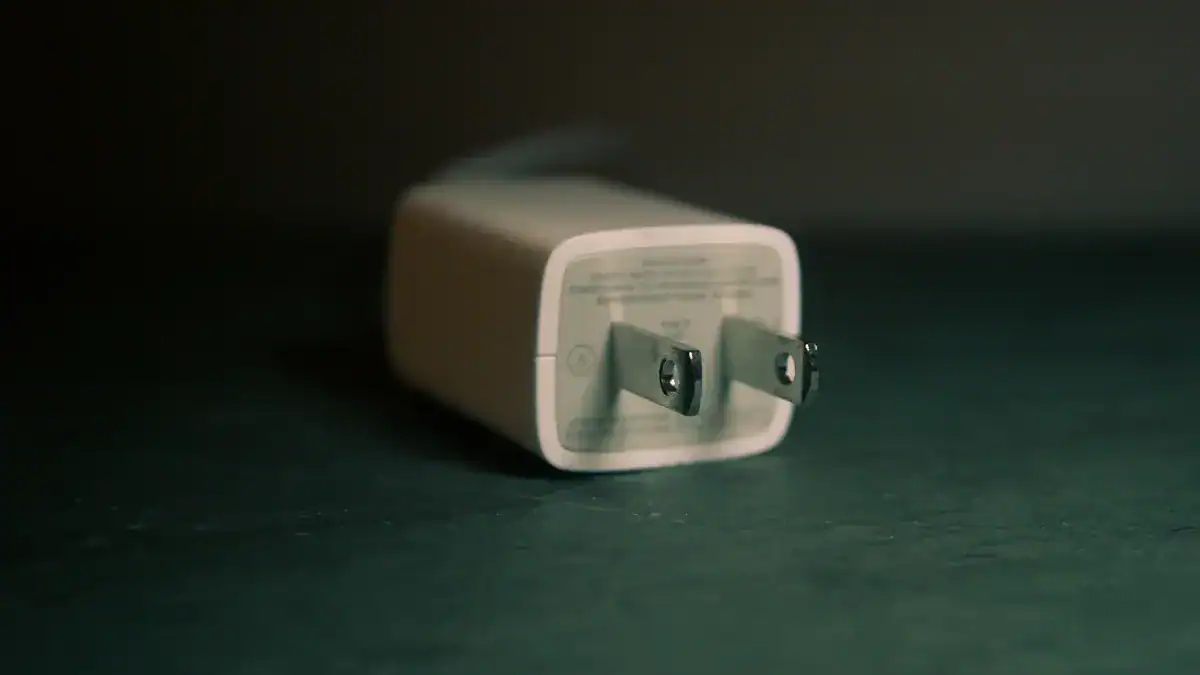
Defining Wattage in an Engineering Context: Volts, Amps, and Peak Load.
Wattage measures the power consumed by an electric device. Engineers calculate wattage using the formula:
Power (Watts) = Voltage (Volts) × Current (Amps).
For example, a device drawing 10 Amps at 240 Volts uses 2,400 Watts. This calculation helps hardware engineers select adapters that match system requirements. Peak load refers to the highest power demand during operation. Selecting an adapter with sufficient wattage ensures stable performance and prevents overheating. The Laptop adapter wattage guide provides clear formulas and examples for accurate sizing.
Power in Watts = Voltage × Amps
Peak load determines the minimum required adapter wattage
Proper sizing prevents system instability
Efficiency Standards: Why Level VI Compliance matters for B2B Total Cost of Ownership (TCO).
Level VI efficiency standards set strict requirements for external power supplies. These standards measure no-load power consumption and average efficiency at 25%, 50%, 75%, and 100% load levels. Level VI covers multi-voltage adapters and products above 250 Watts. Adapters meeting Level VI specifications deliver higher average efficiency and lower no-load consumption compared to previous levels.
Level VI compliance enhances operational safety and reliability, reducing risks of overheating and device damage. Lower failure rates and longer lifespans decrease replacement costs, improving total cost of ownership for B2B deployments.
Efficiency Level | No-Load Consumption | Average Efficiency | Coverage |
|---|---|---|---|
Level V | Moderate | Standard | Single-voltage, <250W |
Level VI | Lower | Higher | Multi-voltage, >250W |
The relationship between Wattage, MTBF (Mean Time Between Failures), and Voltage Stability.
Adapter wattage directly impacts MTBF and voltage stability. Premium adapters achieve over 50,000 hours of MTBF under typical loads, lasting 200–300% longer than generic models. In high-humidity environments, industrial-grade adapters outperform budget units, which fail 63% faster. Voltage stability remains within ±3% of the target level during intensive tasks with premium adapters, while budget models may experience voltage sag up to 12%.
Protection features such as Overvoltage Protection (OVP), Overcurrent Protection (OCP), Overpower Protection (OPP), and Short-Circuit Protection (SCP) safeguard devices and reduce fire risk. The Laptop adapter wattage guide emphasizes selecting adapters with robust protection and stable voltage output for reliable industrial performance.
High wattage adapters support longer MTBF
Stable voltage output prevents system errors
Advanced protection features reduce risk of failure
Adapter Wattage Comparison Table (45W to 100W+)

Technical Specifications Breakdown: 45W, 65W, 90W, and 100W+
Selecting the correct adapter wattage requires a thorough understanding of technical specifications. Engineers evaluate voltage, current, efficiency, MTBF, and thermal derating when comparing adapters. The following table presents a detailed breakdown of common wattage classes used in professional and industrial environments:
Wattage Class | Output Voltage | Max Current | Level VI Efficiency | MTBF (hrs) | Thermal Margin | Voltage Ripple (mV) | Typical Applications |
|---|---|---|---|---|---|---|---|
45W | 19V | 2.37A | ≥89% | 50,000 | Moderate | <120 | Thin laptops, POS |
65W | 19V | 3.42A | ≥89% | 50,000 | Good | <120 | Office laptops, Kiosks |
90W | 19V | 4.74A | ≥90% | 60,000 | High | <100 | Medical displays, Embedded PCs |
100W+ | 20V | 5A+ | ≥90% | 60,000+ | Excellent | <100 | Industrial workstations, High-performance systems |
Note: MTBF values reflect operation in controlled environments. Thermal margin indicates the percentage of unused capacity at typical load, which reduces component stress and extends lifespan.
Engineers use the Laptop adapter wattage guide to compare these specifications and select adapters that meet system requirements. High wattage adapters often provide better thermal derating and lower voltage ripple, which improves reliability in demanding applications.
Application Scenarios: Industrial Kiosks, Medical Displays, and Embedded Systems
Different industries require specific adapter wattages based on system load and operational environment. Hardware engineers analyze application scenarios to determine the optimal power supply.
Industrial Kiosks:
Kiosks operate in public spaces and may experience high ambient temperatures. A 65W adapter supports most kiosk PCs and peripherals, while a 90W unit offers additional headroom for systems with multiple displays or printers.Medical Displays:
Medical environments demand stable voltage and minimal ripple to protect sensitive electronics. A 90W or 100W+ adapter ensures consistent performance for diagnostic monitors and embedded imaging systems. High MTBF and Level VI efficiency standards are critical for patient safety and regulatory compliance.Embedded Systems:
Embedded PCs in automation or control panels often run continuously. Engineers select 45W adapters for low-power modules, but upgrade to 65W or 90W for systems with higher computational loads or multiple I/O devices. Enhanced thermal margin prevents overheating in enclosed cabinets.
Engineers rely on the Laptop adapter wattage guide to match adapter specifications with real-world application needs, ensuring reliable operation and compliance with industry standards.
Performance Trade-offs: Efficiency vs. Form Factor in OEM Integration
OEMs face trade-offs between adapter efficiency and physical size during system integration. High-efficiency adapters reduce energy consumption and heat generation, but may require larger housings to accommodate premium components and advanced thermal management.
Efficiency:
Level VI compliant adapters deliver superior energy savings and lower operating costs. Reduced voltage ripple and stable output protect sensitive hardware, especially in medical and industrial settings.Form Factor:
Compact adapters fit into tight spaces but may offer less thermal margin. Engineers balance size constraints with the need for robust cooling and long-life components. Selecting an adapter with a higher wattage than the minimum requirement increases reliability and reduces the risk of thermal derating.Integration Considerations:
System integrators evaluate adapter placement, airflow, and enclosure design. They prioritize adapters with proven MTBF, low voltage ripple, and high efficiency to minimize field failures and maintenance costs.
Tip: When integrating adapters into enclosed systems, engineers should select models with at least 20-30% power headroom to ensure stable operation under peak load and elevated temperatures.
The Laptop adapter wattage guide provides a comprehensive framework for evaluating these trade-offs, helping OEMs and system integrators achieve optimal performance and reliability.
The Engineering Significance of Power Supply Thermal Margin
Engineering Definition: Operating Temperature vs. Component Derating.
Engineers define operating temperature as the range within which a power adapter functions reliably. Manufacturers specify this range to prevent thermal stress and ensure safety. Component derating refers to the practice of operating electronic parts below their maximum rated limits. For example, a capacitor rated at 35 Vdc should operate at no more than 28 Vdc under elevated temperatures. This approach protects components from excessive heat and voltage, which can degrade performance and shorten lifespan.
Manufacturers provide derating curves that show how output power decreases as ambient temperature rises. A power supply may deliver full output up to 50°C, but its rating could drop to 50% at 70°C. These guidelines help engineers select adapters that maintain reliability in demanding environments. DILITHINK incorporates robust derating specifications, ensuring that each adapter operates well within safe limits, even during continuous use in industrial or medical settings.
Benefits for System Reliability: Reducing Internal Component Stress and Overheating.
A high thermal margin directly improves system reliability. DILITHINK’s design philosophy prioritizes generous thermal headroom, which reduces stress on internal components. Several factors contribute to heat generation inside adapters:
Resistance in internal wiring increases temperature.
Voltage conversion inefficiency produces excess heat.
Rapid cycling of controller chips during USB power delivery negotiation adds thermal load.
When engineers select adapters with sufficient thermal margin, they minimize the risk of overheating. Undersized components, such as capacitors and transformers, often found in low-cost adapters, can overheat under load. Excess heat accelerates component degradation, causing micro-cracks in solder joints and breakdown of insulation. These failures increase the risk of arcing or short circuits, leading to higher field failure rates.
DILITHINK uses high-temperature, long-life capacitors and premium components to maintain safe surface temperatures, even at full load. This approach ensures stable operation and extends the mean time between failures (MTBF), especially in 24/7 industrial and medical applications.
Why a 20-30% Power Headroom is essential for enclosed industrial environments.
Engineers recommend selecting adapters with a 20-30% power headroom for enclosed industrial environments. This margin accommodates future expansion and design changes, ensuring that the power supply remains reliable as system demands evolve. In closed cabinets or kiosks, limited airflow can cause ambient temperatures to rise, reducing the effective output of the adapter.
A 20-30% headroom allows the adapter to operate below its maximum rating.
This practice prevents thermal derating and maintains voltage stability.
It supports continuous operation in high-temperature zones without risk of throttling or shutdown.
DILITHINK’s Laptop adapter wattage guide emphasizes the importance of power headroom for system integrators and OEMs. By choosing adapters with extra capacity, engineers safeguard against unexpected load increases and environmental challenges.
Preventing System Throttling: Ensuring CPU/GPU stability under full load.
Thermal margin plays a critical role in preventing system throttling. When a power adapter operates near its maximum capacity, heat buildup can trigger protective mechanisms in CPUs and GPUs. These components may reduce their clock speeds to avoid overheating, resulting in lower performance and potential downtime.
Adequate thermal margin ensures stable voltage and current delivery.
CPUs and GPUs maintain peak performance under full load.
System integrators avoid costly interruptions and maintain productivity.
DILITHINK’s commitment to high thermal margin and efficient thermal management supports stable operation in mission-critical environments. Engineers rely on adapters with robust thermal design to keep industrial workstations, medical displays, and embedded systems running smoothly, even during intensive tasks.
Tip: Always consult derating curves and manufacturer guidelines when selecting adapters for enclosed or high-temperature installations. Prioritizing thermal margin reduces maintenance costs and extends equipment lifespan.
Adapter Selection and Evaluation for System Integration
Step-by-Step Selection Process for Hardware Engineers.
Hardware engineers follow a structured process when selecting a laptop adapter for professional and industrial systems. This process ensures compatibility, reliability, and long-term value.
Define System Power Requirements
Engineers calculate the maximum power draw by summing the wattage of all system components. They consider peak load scenarios, including CPU and GPU at full utilization.Determine Required Output Voltage and Current
The system’s input voltage and current ratings guide adapter selection. Engineers verify these values against manufacturer specifications.Apply Power Headroom
A 20-30% power headroom accommodates thermal derating and future system upgrades. This margin prevents adapters from operating at their maximum limit, reducing heat stress and extending MTBF.Evaluate Adapter Efficiency
Level VI efficiency standards reduce energy loss and heat generation. High-efficiency adapters lower operational costs and improve system stability.Assess Physical and Mechanical Constraints
Engineers check adapter dimensions, connector types, and mounting options. Compact form factors may suit space-limited enclosures, but must not compromise thermal performance.Review Compliance and Safety Certifications
Adapters must meet relevant safety standards for the intended application, such as IEC 62368-1 or medical certifications.Analyze Supplier Reliability and Support
Engineers consider supplier track record, warranty terms, and support for long-term projects.
Tip: Document each step and validate adapter performance with real-world load testing before deployment.
Evaluating Environmental Specs: Ambient Temperature and Heat Dissipation.
Ambient temperature and heat dissipation play a critical role in adapter selection for industrial systems. Outdoor and factory environments often expose equipment to extreme temperatures. Consumer-grade laptops operate safely between 50 °F and 95 °F (10 °C to 35 °C). In contrast, ruggedized systems function reliably from –20 °F to 145 °F (–29 °C to 63 °C). High ambient temperatures accelerate battery drain and increase the risk of hardware damage.
Industrial adapters must manage heat effectively. Engineers select adapters with robust cooling features and materials designed for high-temperature operation. Proper heat dissipation ensures stable voltage output and prevents thermal shutdowns. Enclosed cabinets and kiosks require adapters with enhanced thermal margin and efficient airflow management. These measures maintain system reliability and reduce unplanned downtime.
Note: Always verify the adapter’s rated operating temperature and ensure it matches the deployment environment.
Compliance and Safety: Navigating IEC 62368-1 and Medical Safety Standards.
Compliance with international safety standards protects users and equipment from electrical and thermal hazards. IEC 62368-1 sets the benchmark for hazard-based safety engineering in information and communication technology (ICT) and audio/video (AV) equipment. Medical applications require additional certifications to address patient safety and electromagnetic compatibility.
Aspect | Description |
|---|---|
Standard Name | IEC 62368-1 |
Compliance Focus | Hazard Based Safety Engineering (HBSE) principles |
Scope | Covers network and computer products, consumer electronics, display units, telecommunication products, and office appliances. |
Key Hazards Addressed | Electrical energy, electric shock, thermal burns, mechanical energy, acoustic energy, hazardous substances, radiation. |
Safeguard Requirements | Design must include safeguards for Class 2 or 3 energy sources to protect against hazards. |
Applicability | Includes products previously under IEC 60950-1 and 60065, and extends to other ICT and AV equipment. |
Adapters for medical devices must comply with standards such as IEC 60601-1, which addresses electrical safety, leakage current, and biocompatibility. Engineers verify certifications before procurement to ensure regulatory compliance and minimize liability.
Callout: Non-compliant adapters may expose organizations to safety risks and legal penalties.
Balancing Unit Cost vs. Long-term Field Failure Rates.
Procurement teams often face pressure to minimize upfront costs. However, the lowest-priced adapter may not deliver the best value over the product lifecycle. High-quality adapters with premium components offer longer MTBF, lower voltage ripple, and superior thermal derating. These features reduce the frequency of field failures and costly RMAs.
Key considerations for balancing cost and reliability:
Total Cost of Ownership (TCO):
TCO includes purchase price, installation, maintenance, energy consumption, and replacement costs. Adapters with higher efficiency and longer lifespan reduce TCO over time.Field Failure Rates:
Adapters with robust protection features and high-quality capacitors experience fewer failures in demanding environments. Lower failure rates translate to less downtime and fewer service calls.Warranty and Support:
Reliable suppliers offer extended warranties and responsive technical support, further reducing risk for system integrators.
The Laptop adapter wattage guide helps engineers and procurement managers make informed decisions that optimize both performance and long-term value.
Avoiding Common B2B Procurement and Design Mistakes
Risks of Under-specifying Wattage in High-Ambient Temperature Zones.
System integrators often underestimate the impact of ambient temperature on adapter performance. When engineers specify an adapter with wattage too close to the system’s peak load, heat buildup in enclosed spaces can cause thermal derating. This leads to reduced output, voltage instability, and increased risk of shutdowns. High-ambient temperature zones, such as factory floors or outdoor kiosks, demand adapters with at least 20–30% power headroom. Selecting a higher wattage class ensures stable operation, prevents premature component aging, and maintains MTBF targets.
Tip: Always calculate the maximum expected temperature and add a safety margin to the adapter’s rated output.
Identifying Ripple and Noise issues in low-quality generic adapters.
Ripple and noise present significant challenges in industrial environments. Low-quality generic adapters often produce high output ripple, which can cause visible flicker in LEDs and instability in sensitive electronic circuits. This instability may result in system failures and decreased operational efficiency. Engineers must prioritize adapters with low ripple and noise specifications, especially for medical displays and embedded control systems. Reliable adapters maintain voltage ripple below 100 mV, supporting consistent performance and protecting critical components.
Adapter Type | Typical Ripple (mV) | Impact on System |
|---|---|---|
Premium Industrial | <100 | Stable, reliable |
Generic Low-Quality | >150 | Flicker, instability |
Why Lowest Price often leads to higher RMA costs in project lifecycles.
Procurement teams sometimes focus on unit price, overlooking long-term reliability and support. Adapters with lower upfront costs may lack robust protection features, premium components, or proper certifications. These shortcomings increase field failure rates and result in higher Return Merchandise Authorization (RMA) costs over the project lifecycle. Common procurement mistakes include ignoring real user needs, overlooking supplier reliability, failing to verify compliance, underestimating total cost of ownership, and not thoroughly testing samples.
Ignoring real user needs and application
Overlooking supplier reliability and after-sales support
Failing to verify compliance and certifications
Underestimating total cost of ownership
Not requesting and thoroughly testing samples
Note: Investing in adapters with proven MTBF, Level VI efficiency, and comprehensive safety certifications reduces maintenance costs and ensures project success.
DILITHINK’s Manufacturing and Reliability Advantage
Premium Component Selection: High-temperature Long-life Capacitors.
DILITHINK engineers select high-temperature, long-life capacitors for every laptop adapter. These components withstand elevated operating temperatures and maintain stable performance under continuous load. The use of premium capacitors directly impacts MTBF, voltage ripple, and thermal derating. System integrators benefit from reduced maintenance cycles and fewer field failures.
High-temperature capacitors support extended service life in industrial environments.
Long-life components minimize voltage ripple, ensuring stable output for sensitive electronics.
Premium selection reduces the risk of thermal degradation and supports Level VI efficiency standards.
DILITHINK’s commitment to medical and military-grade power solutions sets the company apart from standard industry practices. The table below highlights key differences:
Aspect | DILITHINK | Industry Norms |
|---|---|---|
Focus | Medical and Military-Grade Power | General Power Supply Manufacturing |
Reliability | High Reliability | Varies by Manufacturer |
Quality | Emphasis on Quality | Standard Quality Assurance |
DILITHINK invests in research and development to deliver innovative, reliable, and compliant power solutions for demanding OEM and system integrator projects.
Advanced Quality Control: 100% Full-load Burn-in and Safety Testing.
DILITHINK applies rigorous quality control protocols to every adapter. Each unit undergoes 100% full-load burn-in and comprehensive safety testing. This process simulates real-world operating conditions and identifies early failures before shipment.
Evidence Type | Description |
|---|---|
Real-World Conditions | Burn-in testing ensures reliability under actual usage scenarios. |
Circuit Optimization | Provides insights for improving circuit and component design. |
Reliability Assurance | Ensures only units capable of withstanding operational demands are shipped. |
Extended Testing | Ensures the product will function properly over its entire service life. |
Burn-in testing validates design robustness under stress conditions.
Feedback from testing supports continuous optimization of circuits and components.
Only adapters that pass reliability assurance protocols reach customers.
System integrators and OEMs experience lower operating costs and enhanced device longevity due to reduced heat output and compliance with global energy standards. Investing in high-quality, efficient adapters enables organizations to meet regulatory requirements and minimize operational risks.
DILITHINK’s advanced manufacturing and testing practices deliver adapters engineered for long-term stability, making them the preferred choice for professional and industrial applications.
Selecting the right adapter starts with a clear understanding of system power needs and careful evaluation of technical specifications. Following manufacturer guidelines for thermal margin and efficiency prevents overheating and extends system reliability. The Laptop adapter wattage guide helps engineers and procurement teams avoid costly failures by validating thermal performance under real-world conditions. For high-reliability power solutions, DILITHINK offers expert support and advanced manufacturing.
Description | |
|---|---|
Verify certifications and compliance standards | Ensure that the adapters meet industry regulations. |
Assess vendor reliability and supply chain resilience | Evaluate the dependability of suppliers and their logistics. |
Prioritize adapters supporting current and future device needs | Choose adapters that are compatible with upcoming technologies. |
Analyze total cost of ownership | Consider long-term costs, including energy efficiency and warranty. |
Stay informed on regulatory updates and technological innovations | Keep up with changes that may affect adapter performance. |
FAQ
What is the recommended thermal margin for industrial laptop adapters?
Engineers recommend a thermal margin of 20–30% above peak system load. This margin reduces component stress, improves MTBF, and ensures stable operation in high-temperature environments.
How does Level VI efficiency impact total cost of ownership (TCO)?
Level VI efficiency reduces energy loss and heat generation. Organizations benefit from lower operating costs, extended adapter lifespan, and fewer field failures, which decreases long-term TCO.
Why is voltage ripple important for medical and embedded systems?
Low voltage ripple protects sensitive electronics from instability. Adapters with ripple below 100 mV maintain consistent performance, prevent display flicker, and support reliable operation in medical and industrial applications.
How should hardware engineers select adapter wattage for enclosed systems?
Engineers calculate total system load, then add 20–30% headroom for thermal derating. They verify adapter specifications, including MTBF and efficiency standards, to ensure reliability in enclosed or high-ambient temperature installations.
What certifications should procurement managers verify for industrial adapters?
Procurement managers should confirm compliance with IEC 62368-1 for ICT equipment and IEC 60601-1 for medical devices. Certified adapters meet safety, reliability, and regulatory requirements for professional deployments.


